The Live365 Community Forums serve as a platform for broadcasters to connect, share their station's journey, and share internet radio tips and tricks for using the Live365 Dashboard.
In this help article we will cover:
Accessing Live365 Community Forums
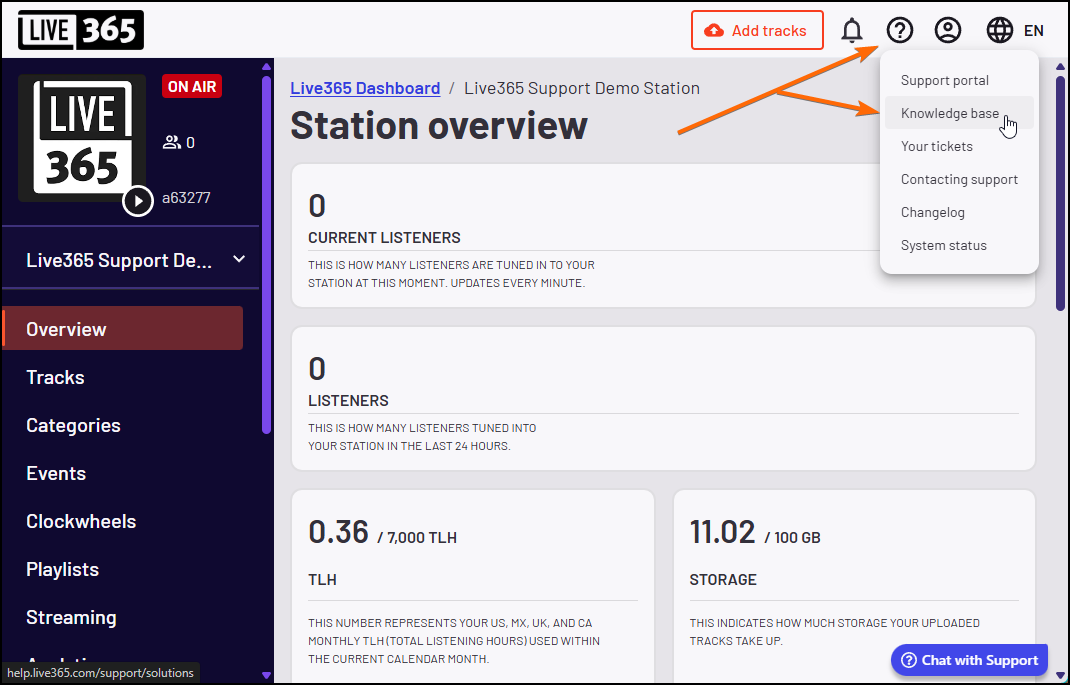
To access the Community Forum from the Live365 Dashboard, click the question mark (?) icon in the top right corner of your Live365 Dashboard and select ‘Knowledge Base’.
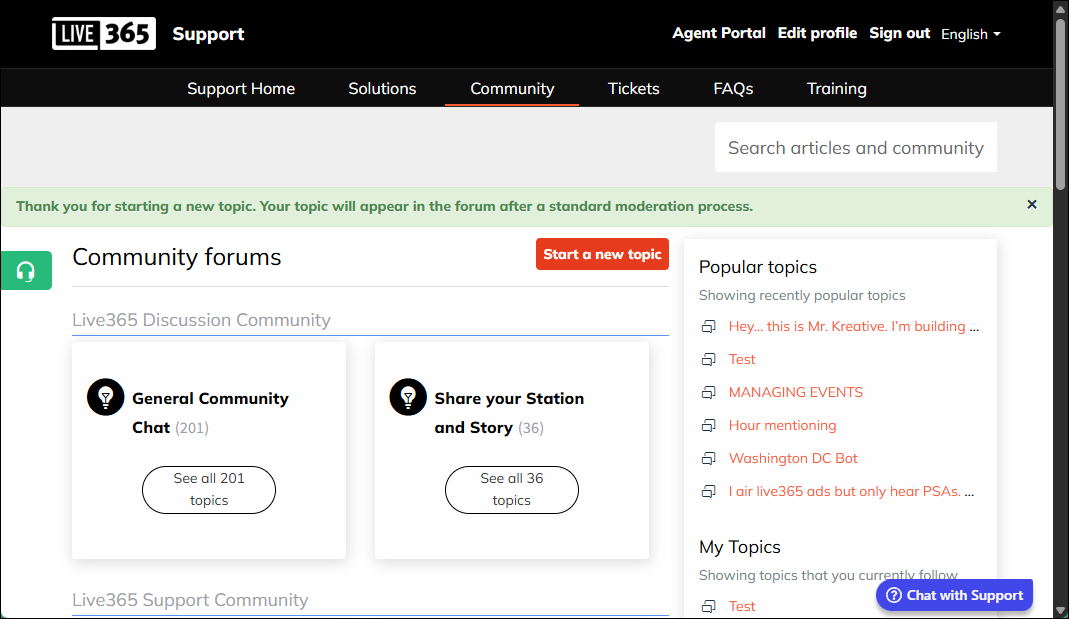
From the Live365 Knowledge Base, navigate to Community to access the Live365 Community Forums.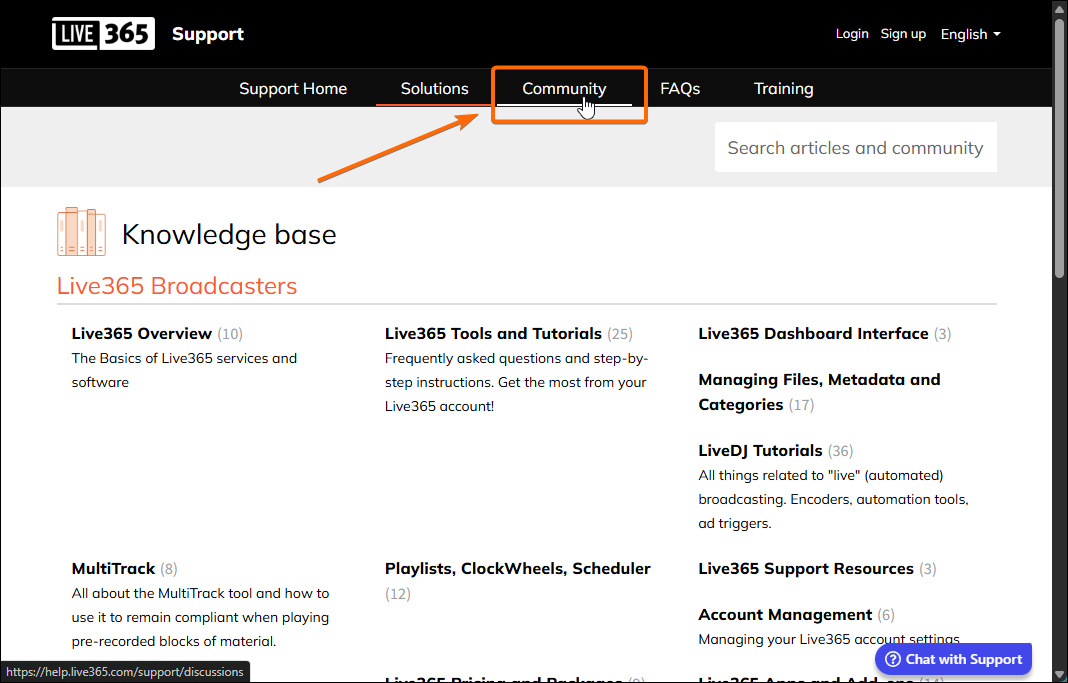
The Live365 Community space offers two main areas:
- Live365 Discussion Community: For general chat and sharing your station or broadcaster story
- Live365 Support Community: For discussions and tips regarding the Live365 Dashboard features
Within this community space, you have the ability to start a new topic, browse and reply to existing topics, and communicate with the Live365 Broadcaster community.
NOTE: All Topics are subject to our standard moderation process. Posts or comments may take up to 24 hours to appear in the Community.
Creating a new topic
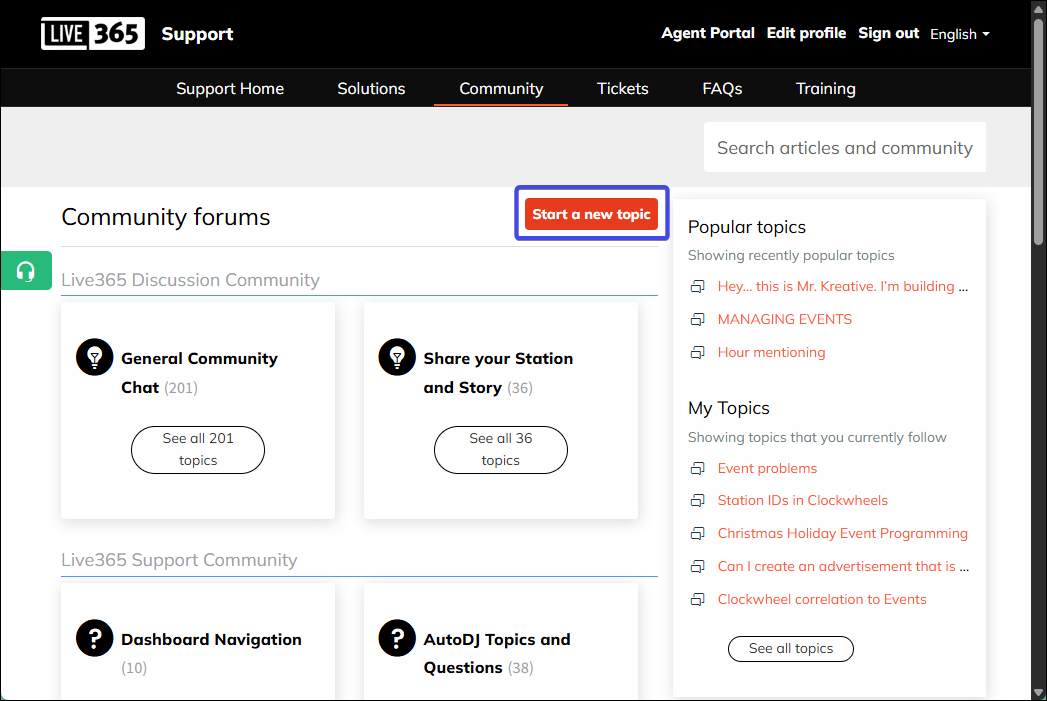
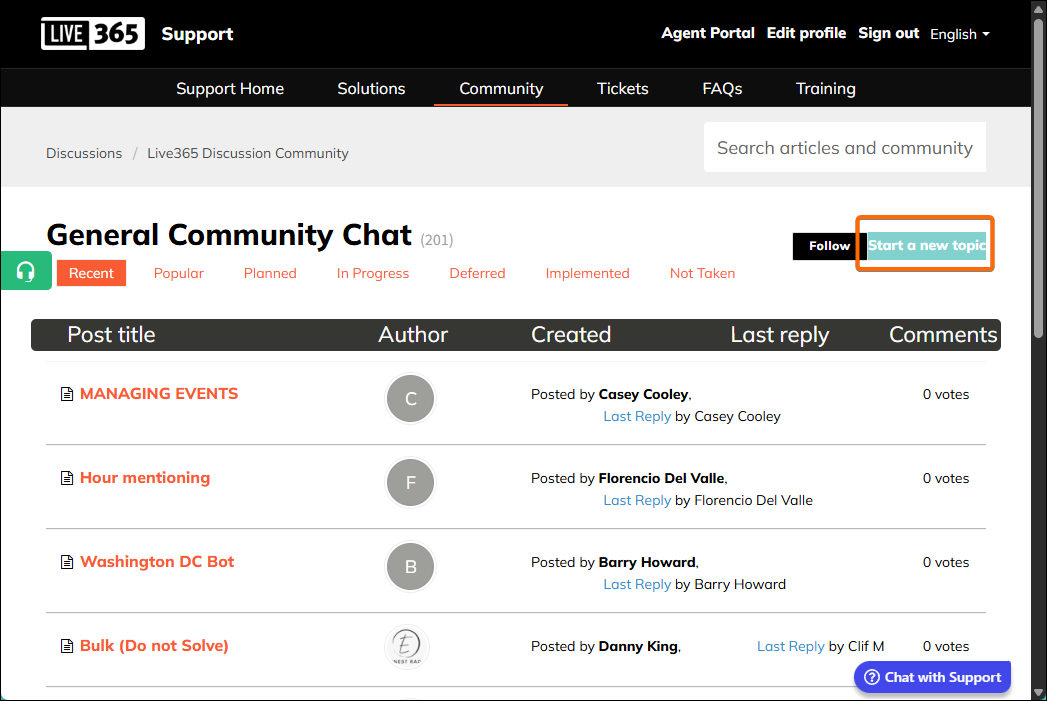
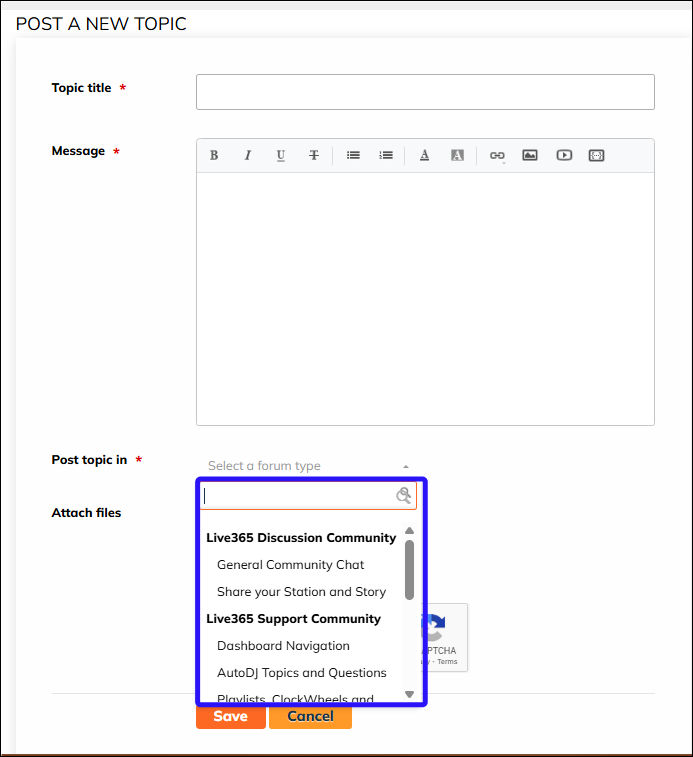
If you’re browsing the community and you have a topic that hasn’t been discussed, you can easily create a new topic for discussion by selecting “Start a new topic” from the main Community Page, or inside a pre-existing Community Chat.
Note: The Community Forums are for peer-to-peer discussion. Need technical help? Please contact us directly at help@live365.com.
 |  |
When creating your topic, be sure to select the appropriate forum option from the “Post topic in” dropdown.
Once saved, you’ll receive a confirmation that the topic is published and it will appear after the moderation process.
Replying to an existing Topic:
You can easily contribute to the community discussion by leaving a comment on any topic that has been published.
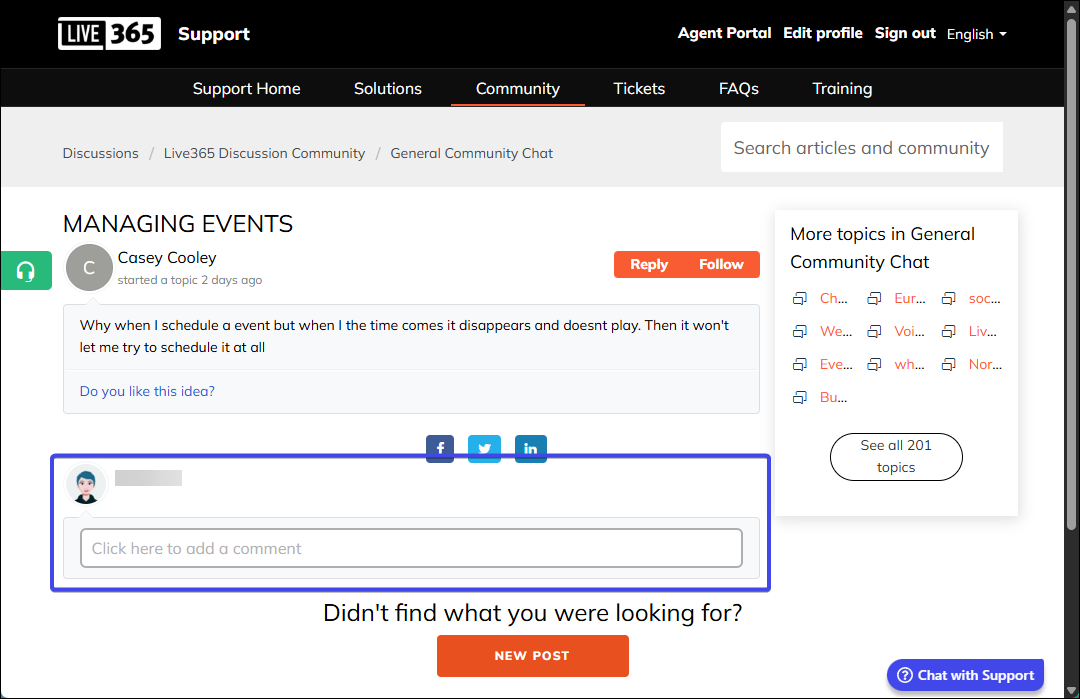
Note: All replies are subject to our standard moderation process. Posts or comments may take up to 24 hours to appear in the Community.