
Also referred to as a promo code, a coupon code is a special phrase or series of characters used on Live365 to get a discount or promotional offer on a new package order.
Where to find codes: Coupon codes are shared through Live365 social media posts and marketing email campaigns. Be sure to follow Live365 on Facebook and X (Twitter), and subscribe to our newsletter!
Applying a Coupon Code during a new station order
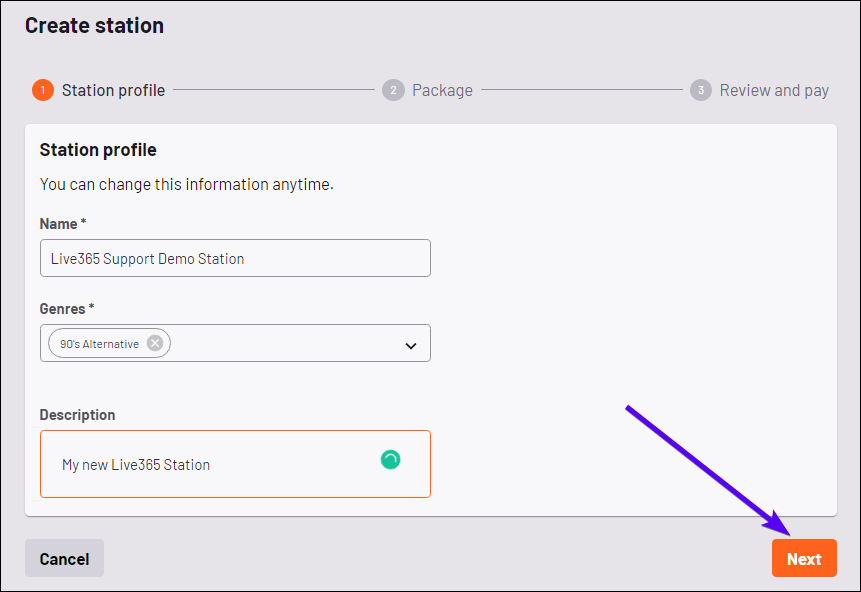
- Create your new station's name, select its genres, and add a description. Once finished, click the Next button in the bottom right corner of the screen.
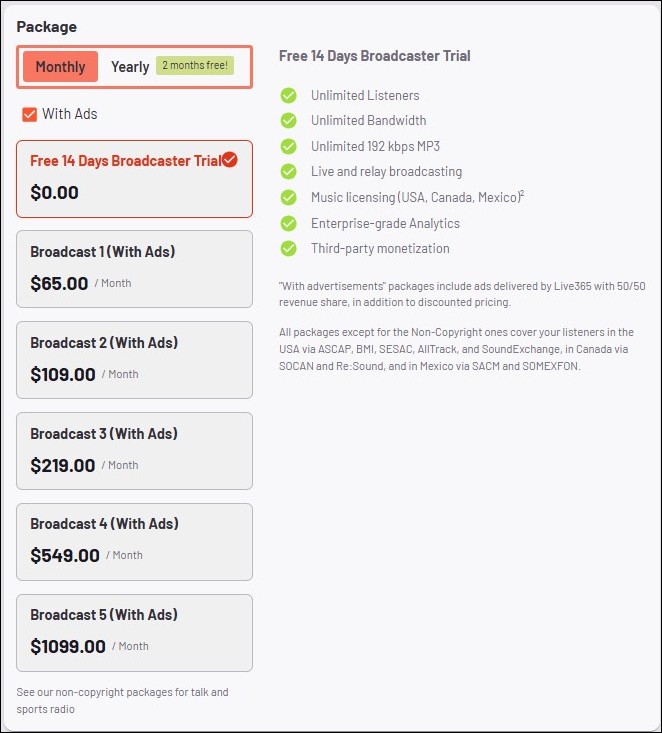
- Once you've decided which package best fits your broadcasting needs, click your preferred package to select it.
NOTE: You will see an orange check box appear showing the package has been confirmed.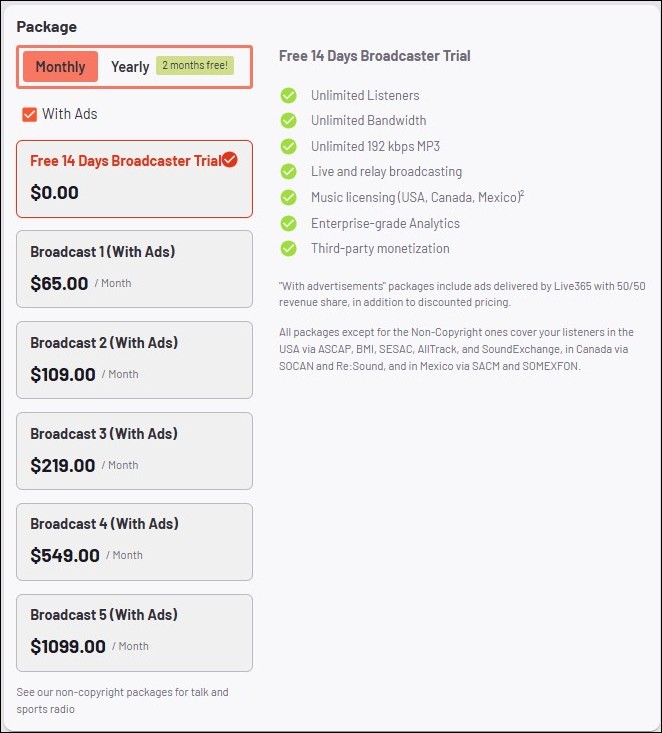
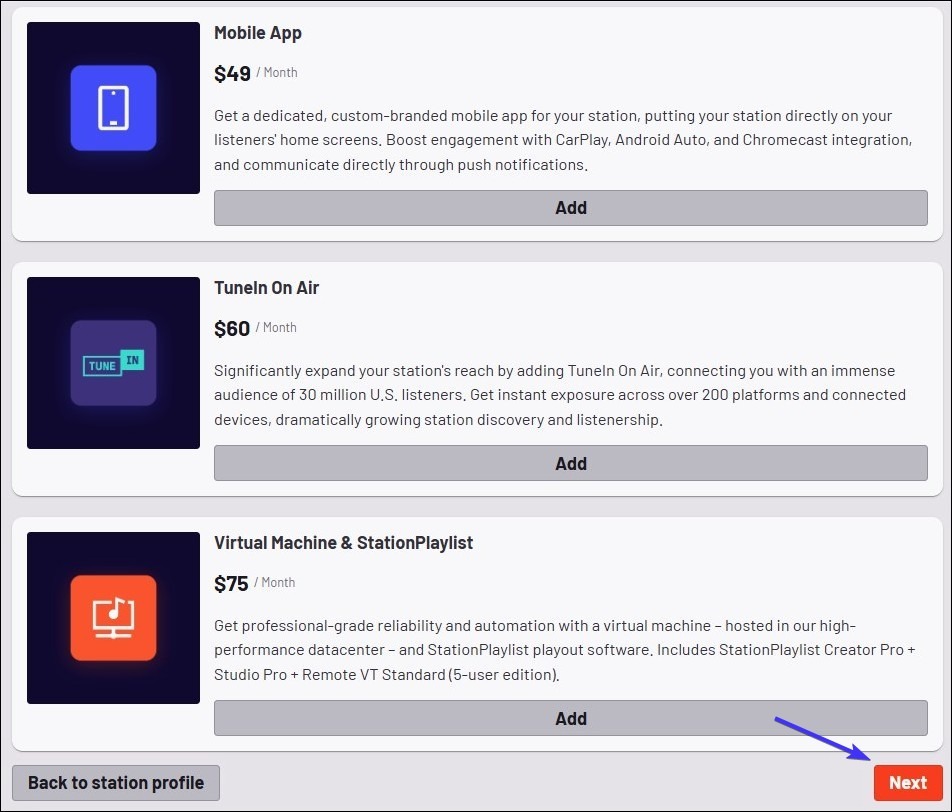
- You will be prompted to customize your package and select any optional add-ons for your new Live365 station.
NOTE: Coupon codes apply only to the base station subscription, not add-ons. - Click the Next button after selecting your desired add-ons.
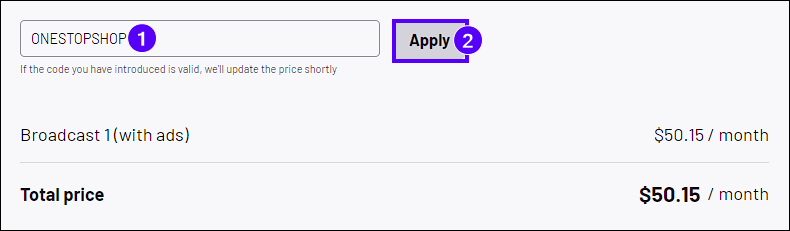
- On the Review and Pay step, locate the Promo Code box at the top of the screen. Type or paste your promo code, then click Apply. Your total price will automatically update with the applied discount.
- Enter your billing details, accept the Live365 Broadcaster Agreement, and click Next to complete your order.
Applying a Coupon Code during an upgrade from Trial
- Login to the Live365 Dashboard.
- Select your Trial Station.
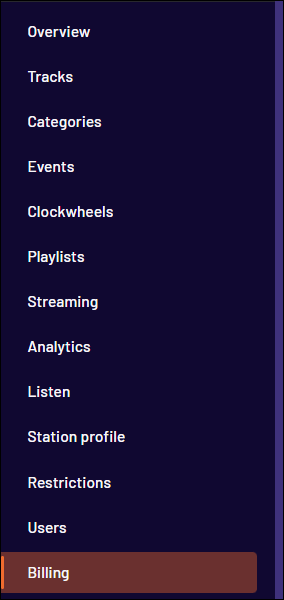
- Navigate to Billing in the Station menu.
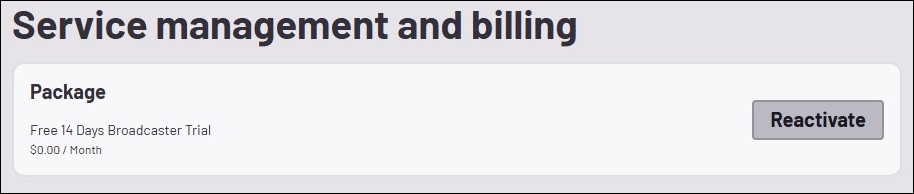
- Click the Reactivate button.
- Select your new Package and click Next.
- On the Review and Pay step, locate the Promo Code box at the top of the screen. Type or paste your promo code and click Apply. Your total will update to reflect the discount.
- Enter your billing details, accept the Live365 Broadcaster Agreement, and click Next to complete your order.
⚠️ Important Note About Coupon Codes
- Package Discounts Only: Discounts apply strictly to your recurring Live365 station subscription. Extra add-ons ordered for your station are fixed-price and unaffected by promo codes.
For any questions or concerns in regard to active coupon codes, reach out to our Support team by emailing help@live365.com or open a ticket with this link.